


Raising Cane's Chicken Fingers
4.85.19K Reviews
App Specs
- Version
- 2.14.4
- Updated On
- License
- Free
- Downloads
- 1,000,000+
- Developer
- Raising Cane's Restaurants, L.L.C.
- Categories
- Food & Drink
- Platform
- Android, iOS
Screenshots
 Analysis by AppCompare
I judge a restaurant app by whether it makes the next meal easier, not by how many screens it offers. Raising Cane’s is a focused Food & Drink app from Raising Cane’s Restaurants, L.L.C., built around ordering and paying ahead. If Cane’s is already part of your routine, that narrow purpose can be useful; if you’re looking for a general food-ordering service with lots of restaurants to compare, this is a different kind of tool.
Start with the order you actually want
My most practical advice is to treat the app as a way to plan a Cane’s stop, rather than as a promise that every visit will become instant. Open it when you know which location you want to visit, choose your meal, and check the order carefully before paying. The benefit is clearest when you are already on your way and want to spend less time placing the order at the counter.
That makes it especially handy for a familiar lunch break: I can decide what I want before leaving the office, place the order, and pick it up on the way back. For a first visit, I would slow down and read the menu rather than rushing through checkout. A saved habit is useful only when it still matches what you want that day.
Use repeatable habits, not assumptions
Experienced users can make the process smoother by keeping a simple routine: choose the location first, review the meal and any requested changes, then confirm the payment and pickup details shown in the app. That sequence helps avoid a common mobile-ordering mistake—placing a perfectly clear order for the wrong stop because the location was selected in a hurry.
I would also check the final order each time instead of assuming that a previous choice carries over exactly as expected. Menus, availability, and the options shown to you can depend on the ordering flow and location. A quick review before confirming is a better shortcut than tapping through automatically, particularly when ordering for more than one person.
Where this app fits—and where it doesn’t
The app has a strong use case for people who already know they want Cane’s and value a direct route to ordering and paying ahead. It is less compelling if you are deciding between several restaurants, comparing broad menus, or arranging food from different businesses in one place. A general delivery or restaurant-discovery app may suit those plans better; this one is for making a Cane’s visit more convenient.
That distinction matters when you are feeding a group. If everyone has settled on Cane’s, one person can organize the order and check the details before submitting. If the group is still debating cuisines or needs a wide range of choices, starting with a multi-restaurant service is more sensible. The best app depends on the decision you have already made.
Worth Reading Before You Choose

EA SPORTS FC Mobile 26 Is a Bigger Football Game, but It Takes Time

Flipboard Shows What News Apps Must Do Beyond the Feed

Switching to Android Auto Means Rethinking Your Driving Routine

Google Calendar Makes a Crowded Week Easier to Manage

Ludo King Makes the Most of the Minutes Between Plans

Baby Panda World Brings Quick Play to Modern Phones, but Its Game Library Feels Busy
The First Look
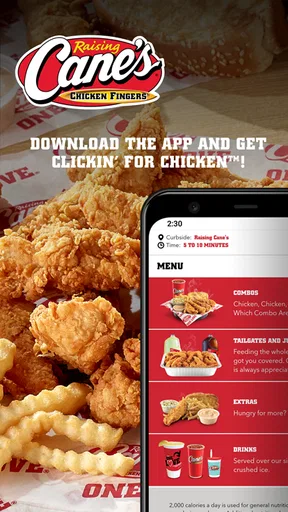
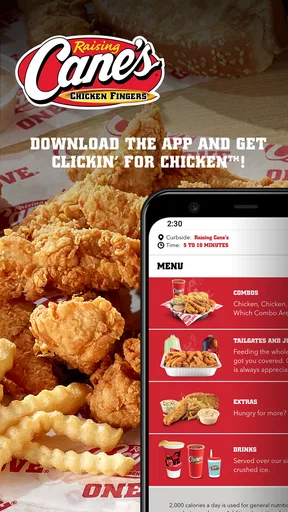
First impressions matter, right? Well, the first thing I noticed about the Raising Cane's Chicken Fingers app is its sleek and straightforward design. It’s like they took the simplicity of their menu and translated it into an app format. Everything is laid out in a way that’s easy on the eyes and even easier to navigate. You can tell a lot of thought went into making this app user-friendly, which is always a plus in my book.
Features You’ll Love
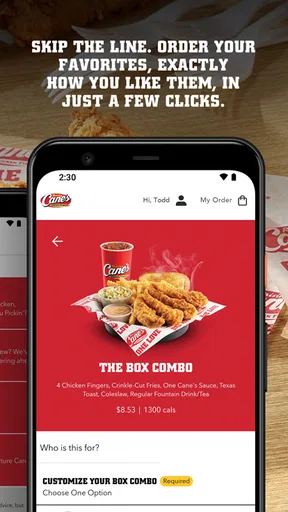
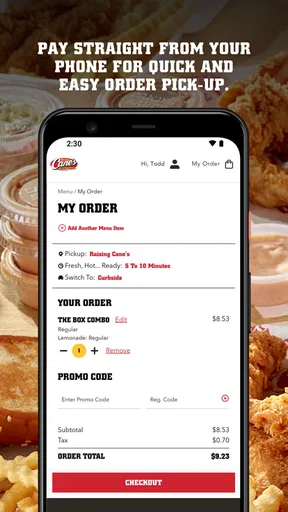
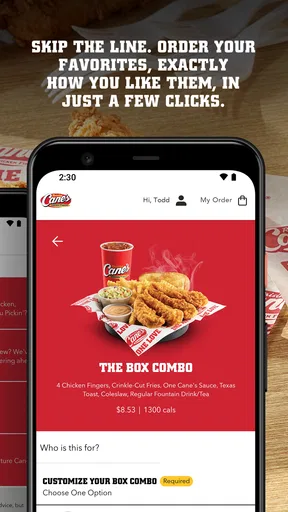
One of the standout features is the order-ahead option. I can’t tell you how many times I’ve been craving their chicken fingers but didn’t want to deal with a long line. With this app, you can skip the line and have your order ready for pickup. It’s a game-changer for those busy lunch breaks or lazy evenings when you just want your chicken fix without the wait.
Another cool feature is the ability to customize your order. Whether you want extra Cane’s Sauce or a different drink, you can tweak your order to suit your taste buds. It’s those little touches that make the app feel personalized and tailored just for you.
Rewards, Anyone?
Let’s talk about the rewards program because who doesn’t love getting something back? The app offers a rewards system where you can earn points with every purchase. Collect enough points, and you can redeem them for free drinks, sides, or even those delicious chicken fingers. It’s a nice incentive to keep coming back, plus it makes you feel like you’re getting a little extra bang for your buck.
What About the User Experience?
Navigating through the app is a breeze. The menus are clearly labeled, and the app’s response time is quick. I didn’t encounter any lagging or glitches, which is something that can really make or break an app experience for me. The app also sends handy notifications, like special promotions or new menu items, so you’re always in the loop.
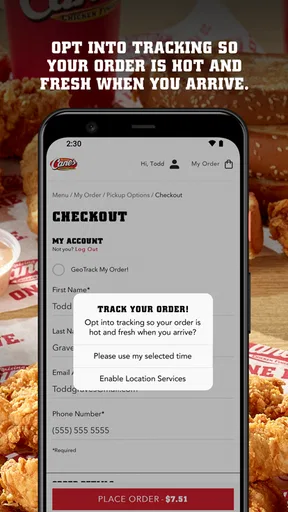
One thing I do appreciate is the app’s integration with maps. It makes finding the nearest Cane’s location super simple. Just a tap, and you’ve got directions. Perfect for those road trips when you’re in unfamiliar territory but still want your chicken fix.
Room for Improvement
While the app hits a lot of high notes, there are a few areas where it could improve. For example, the rewards system, while great, could offer a bit more variety in terms of what you can redeem. Also, I’d love to see a feature where you can share your rewards with friends. I mean, sharing is caring, right?
Another potential enhancement could be more detailed nutritional information for those who are health-conscious. It’s always nice to know exactly what you’re consuming, especially if you’re trying to stick to a diet.
Final Thoughts
Overall, the Raising Cane's Chicken Fingers app is a solid addition to any fan’s mobile device. It’s easy to use, offers convenient features, and rewards loyal customers with goodies. Sure, there’s room for improvement, but what app doesn’t have a little room to grow?
If you’re a regular at Cane’s or just someone who appreciates a good piece of chicken, I’d say give this app a whirl. It’s one of those apps that does exactly what it promises, making your chicken experience smoother and more enjoyable. Give it a download and see for yourself!
Check the practical details before relying on it
Because this is a restaurant-specific ordering app, I would install it when I expect to visit Cane’s more than once, rather than keep it just in case I pass a branch someday. It is free, rated for Everyone, and has a 4.8 average from around 82,000 ratings, so there is a sizeable base of people using it. Those figures are reassuring context, but they do not guarantee that every location or every visit will feel identical.
The app’s current version is 2.10.0, and it supports Android 5.1 and up. If you are helping a family member set it up on an older phone, checking that requirement first can save time. Since ordering involves payment, I would also make sure the device is secure and that the account and payment details are reviewed before placing an order—ordinary precautions that matter more when convenience encourages quick taps.
Small choices that prevent ordering friction
A useful habit for pickup is to place the order only when your route and timing are reasonably clear. Ordering ahead is most helpful when you can head to the selected restaurant as planned; it is less useful if your meeting runs long, your ride changes, or you are still deciding where to stop. I would avoid treating the app as a substitute for checking the details displayed during checkout.
For a family or shared meal, get everyone’s choices together before opening the order flow. That reduces back-and-forth and makes it easier to catch a missing drink or an incorrect change while the order is still on screen. If one person has a specific request, make it explicit rather than assuming a usual order will be customized automatically. The extra moment of review is a better trade-off than discovering a mistake at pickup.
Notifications can be useful if you want to hear about promotions or menu news, but they are not essential to the main reason to use the app. I would keep them enabled only if those reminders genuinely help me decide when to visit; otherwise, turning off alerts at the device level can keep a food app from competing with more important messages. The ordering function remains the core value either way.
Know when convenience has limits
Order-ahead reduces some of the ordering work, but it cannot make a busy restaurant, an unavailable item, or a change in plans disappear. I would still leave enough time for the pickup itself and read any instructions shown before completing payment. If the app’s listed choices do not fit what you need, ordering in person may be the better route, because you can ask questions before committing.
That is also why I would not use a loyalty benefit as the only reason to choose a meal. Rewards can make repeat visits feel more worthwhile, but they are most useful when you already want Cane’s. If you are choosing dinner based on dietary needs, a different menu, or a group’s mixed preferences, compare those needs first rather than letting points make the decision for you.
Who will get the most from it
I would recommend it most to regular Cane’s customers, people with a predictable pickup route, and anyone who prefers to settle an order before reaching the counter. It can also help when a group has already agreed on Cane’s and one person is coordinating the details. The 1 million-plus installs show that it has reached a broad audience, but the real test for an individual user is simply whether Cane’s is a place they visit often enough to justify a dedicated app.
On the other hand, occasional diners may find that a web search, a visit to the counter, or a broader restaurant app is more convenient than installing another single-chain app. People who need extensive dietary detail should check whether the information available in the ordering flow answers their questions before relying on it. And anyone looking for a multi-restaurant cart, delivery comparisons, or a wide range of cuisines should choose a service designed for that job instead.
A measured verdict for repeat visits
Raising Cane’s has a clear purpose: it helps turn a planned visit into an order placed ahead of time, with payment handled through the app. I like that focus when I already know what I want, and I would use it as part of a repeatable routine rather than expect it to solve every restaurant decision. Its biggest strength is convenience for a specific choice; its biggest limitation is that it remains tied to that choice.
With an average rating of 4.8 and around 5,000 written reviews, the app has earned plenty of attention from users, though I would still judge it by whether its ordering flow fits my own habits. If you are a Cane’s regular, try it on a straightforward pickup and see whether the steps feel easier than ordering at the counter. If you visit rarely or need broader options, you can comfortably skip it and use the approach that suits your meal better.
Pros
- User-friendly interface with easy navigation.
- Quick access to menu and nutritional info.
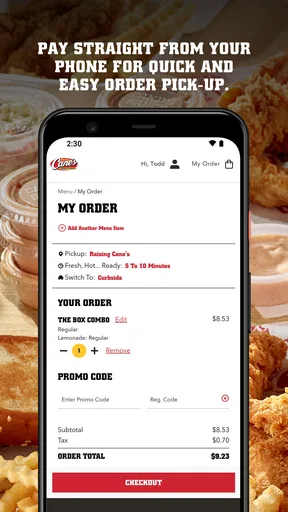
- Convenient online ordering and payment.
- Loyalty rewards for frequent customers.
- Regular updates with new features.
Cons
- App occasionally crashes unexpectedly.
- Limited customization options for orders.
- Requires stable internet connection.
- No delivery tracking within the app.
- Some features not available offline.
FAQs for Raising Cane's Chicken Fingers
What is Raising Cane's Chicken Fingers app used for?
The Raising Cane's Chicken Fingers app is designed to enhance your experience with the popular fast-food chain. It allows you to browse the menu, find nearby locations, and place orders for pickup or delivery. Additionally, the app often includes promotions and rewards for frequent users, making it a convenient tool for Cane’s fans.
Can I order food directly through the Raising Cane's app?
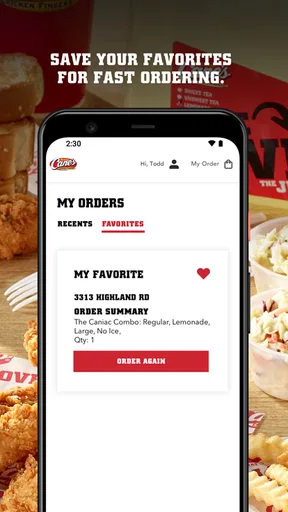
Yes, the Raising Cane's app allows you to place orders directly for either pickup or delivery. You can customize your order, save your favorite meals, and pay through the app for a seamless experience. This ensures your food is ready when you arrive, or delivered straight to your door.
Does the app offer any exclusive deals or rewards?
The Raising Cane's app often features exclusive promotions and rewards for its users. By signing up and using the app regularly, you may receive special discounts, birthday offers, and earn points for purchases that can be redeemed for free items or future discounts.
Is the Raising Cane's app available on both Android and iOS devices?
Yes, the Raising Cane's app is available for download on both Android and iOS devices. You can find it on the Google Play Store for Android users and the Apple App Store for iOS users, ensuring accessibility across most smartphones and tablets.
How user-friendly is the Raising Cane's app for first-time users?
The Raising Cane's app is designed with simplicity in mind, making it user-friendly for first-time users. The intuitive layout allows easy navigation through menus, order customization, and account management. The app includes helpful prompts and features to guide new users through the ordering process seamlessly.


